Asetek Forte Formula Pro Steering Wheel Review: A Sim Racing Wheel with a Display for Formula-Style Racing
Asetek Forte Formula Pro Steering Wheel Review: A Display-Equipped Sim Racing Wheel for Formula and GT Drivers
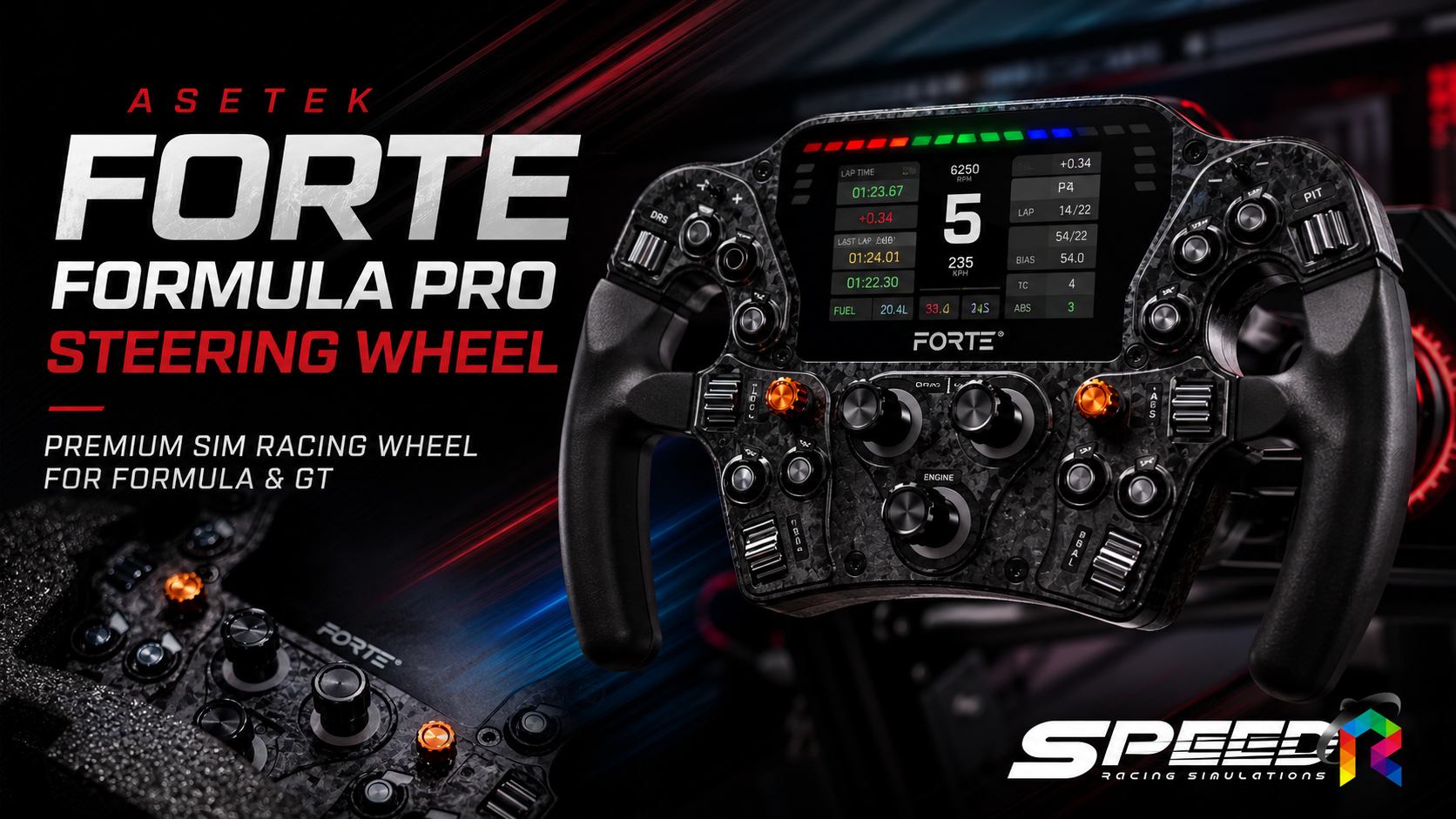
Asetek Forte Formula Pro Steering Wheel is a Formula-style Sim Racing wheel that integrates a display directly into the wheel itself. It is designed for drivers who want quick access to car data, on-the-fly adjustments during a race, and convenient control of key functions without taking their hands off the wheel.
What makes this model stand out is not just the built-in screen, but the way it combines the RaceView display, aRGB lighting, a large number of control inputs, and deep customization through RaceHub and SimHub in one unit. That makes it a strong option for games such as Assetto Corsa Competizione, iRacing, Le Mans Ultimate, Assetto Corsa, and other PC-based Sim Racing titles where real-time vehicle data is an important part of the driving experience.
Materials and Design of the Asetek Forte Formula Pro Steering Wheel
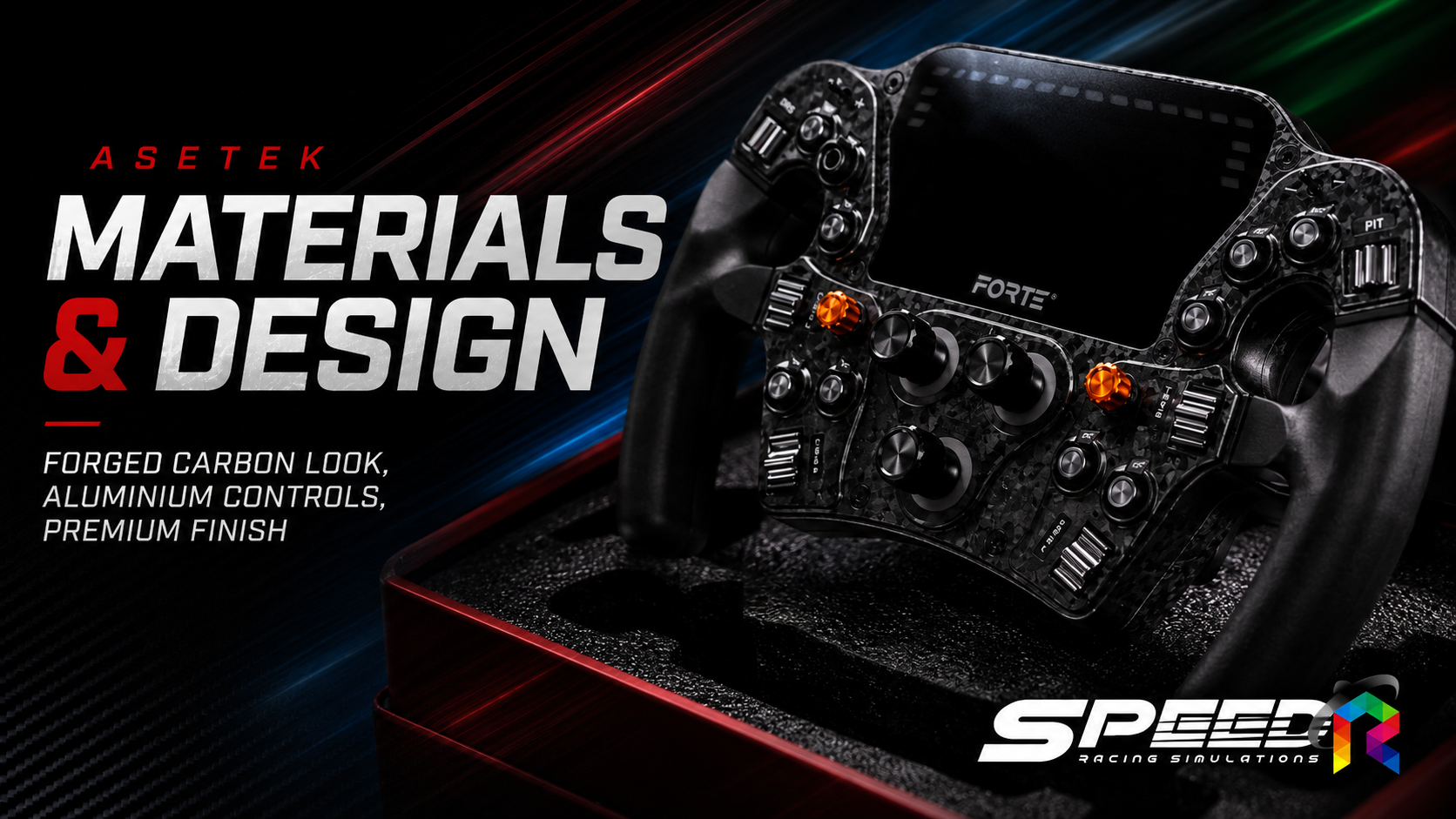
The main body of the Asetek Forte Formula Pro Steering Wheel is made from a fiberglass-reinforced composite with a forged carbon-style finish, giving it the look and feel of a modern motorsport steering wheel. This choice of material helps maintain structural rigidity while keeping weight under control.
The primary buttons and encoders are made from aluminum, offering a firmer and more precise feel than typical plastic controls. The wheel weighs around 1.16 kg, which means it is not so heavy that it noticeably dulls Force Feedback performance when paired with a Direct Drive wheelbase.
With the Regular Handles installed, the wheel measures approximately 300 mm wide. That size works especially well for Formula, GT3, and Prototype cars, where a compact wheel helps deliver quicker steering response. The design remains compact, but there is still enough room on the faceplate for the screen and controls without feeling crowded.
The handles can also be swapped for Regular, XL, LMP, or Suede Handles. This gives users flexibility to tailor both the grip size and feel to better match their hand size and the type of cars they drive most often.
The 4.3-Inch RaceView Display Keeps Key Data in Sight
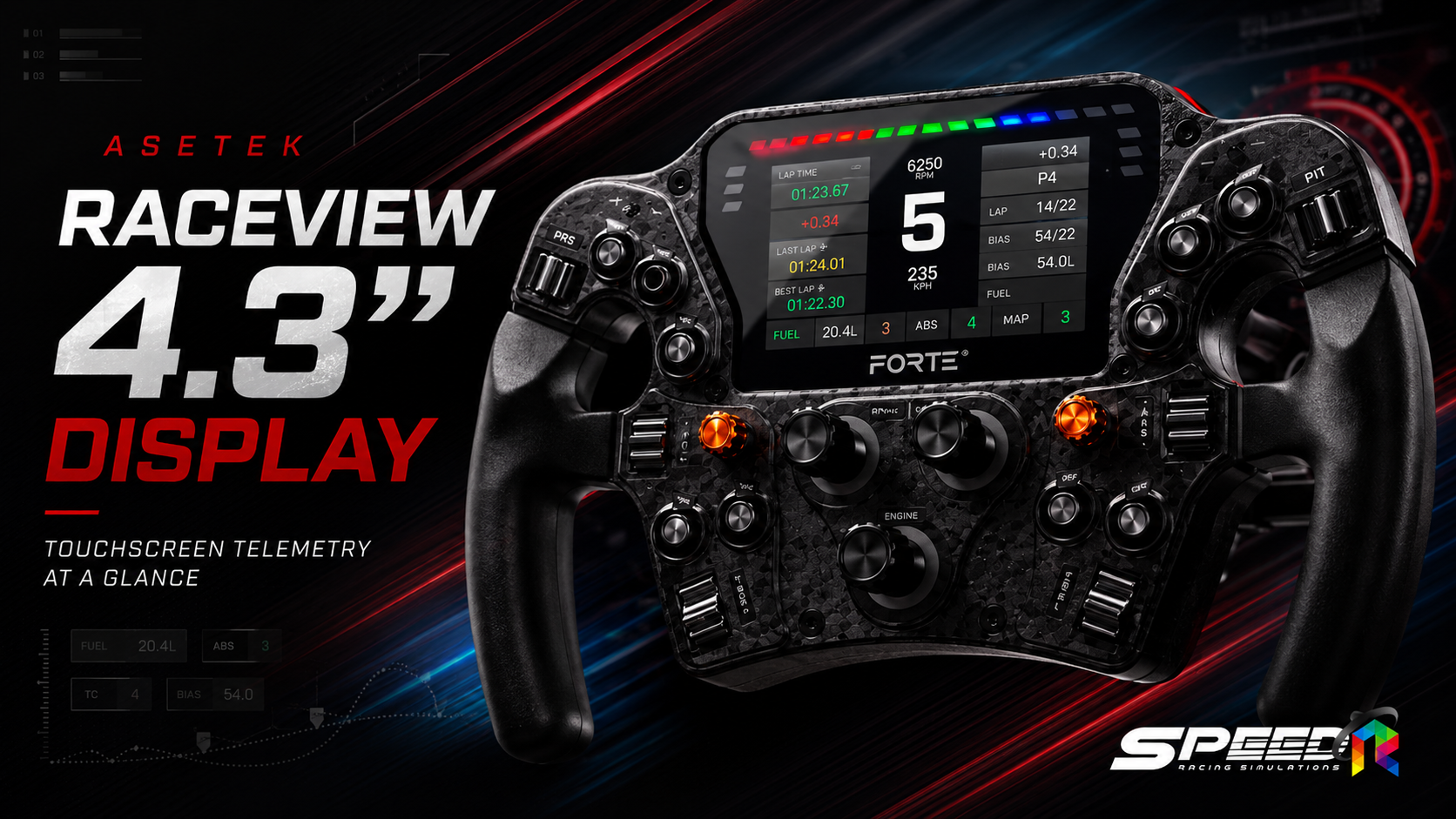
The feature that clearly separates the Forte Formula Pro Steering Wheel from the standard Forte Formula version is its 4.3-inch RaceView touchscreen display. It has a resolution of 800 × 480 pixels and a 60Hz refresh rate, so RPM animations, gear indicators, and telemetry data look smooth and easy to read.
The screen can display a wide range of information, including gear position, RPM, temperatures, tire data, fuel levels, lap times, and vehicle status. The exact data shown will depend on the dashboard layout and the game being used. For many drivers, this means there is no immediate need to add a separate dashboard screen to the rig.
In real-world use, the screen does not automatically make you faster, but it does reduce how far your eyes need to move away from the racing line to check information. That becomes especially useful when monitoring gear, brake bias, ABS, traction control, or fuel during a race.
The most important tip is to use a clean dashboard layout. A display overloaded with too much information can become distracting rather than helpful. In practice, it is best to focus on the data that truly matters for your car and the type of racing you do.
Driving Feel, Controls, and Lighting for Competitive Racing
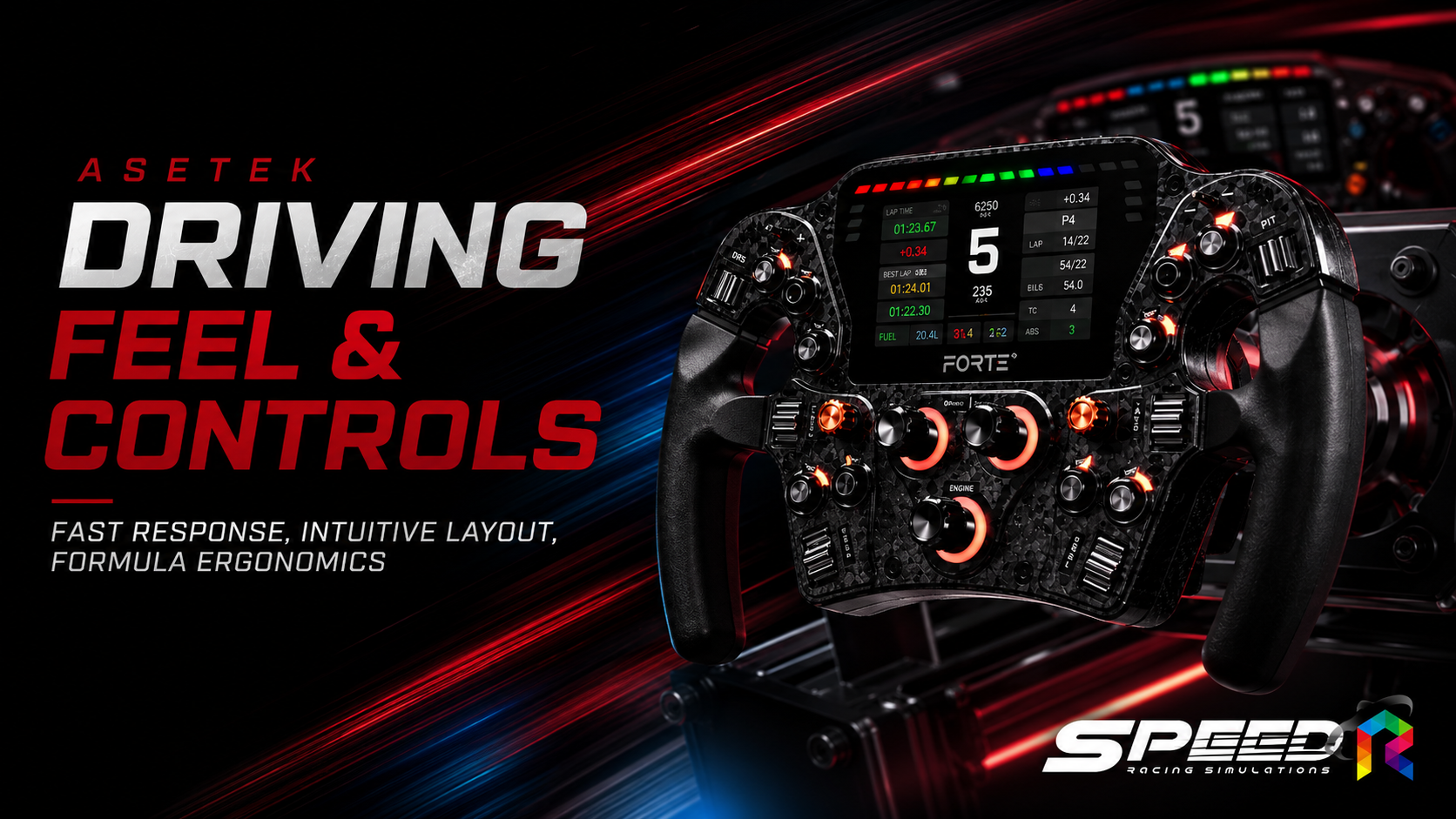
At around 300 mm wide, the Asetek Forte Formula Pro Steering Wheel feels quick and precise in use. It suits cars with relatively fast steering ratios, and it works especially well when catching slides or changing direction through consecutive corners, because your hands do not need to move far from their natural grip position.
On the front, the wheel includes 10 push buttons, 6 thumb encoders, 3 twelve-position rotary encoders, 2 seven-way funky switches, and 2 rocker switches, giving up to 78 possible input options.
The placement of the thumb encoders is particularly useful, allowing the driver to adjust brake bias, traction control, ABS, or engine maps with the thumbs while still maintaining a full grip on the wheel. The rotary encoders are ideal for settings that benefit from clear step-by-step adjustment, such as engine maps, wiper modes, or lighting systems.
On the rear, the wheel comes with two shift paddles from the factory. Gear changes feel crisp and immediate, and the system can be expanded with optional clutch paddles for race starts, or magnetic input paddles for DRS, Overtake, and other custom functions.
The aRGB lighting system includes 47 LEDs in total, divided across Rev LEDs, Flag LEDs, button lighting, toggle switch lighting, and rotary encoder lighting. These lights are not just decorative—they help with alerts and make it easier to locate controls in low-light racing environments.
Customizing the Screen, Buttons, and LEDs with RaceHub and SimHub
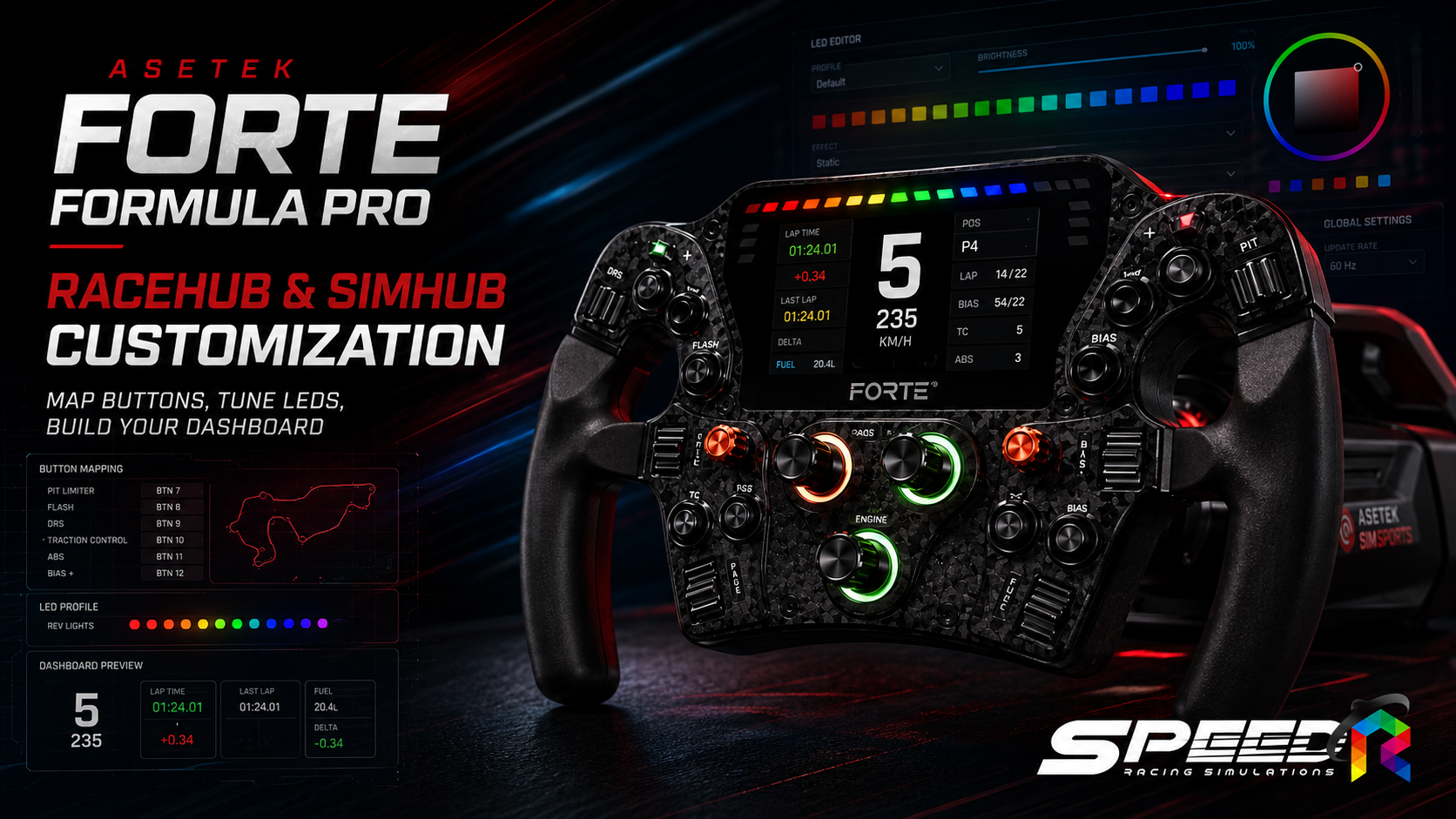
RaceHub is the main software platform for managing the Asetek Forte Formula Pro Steering Wheel. From a single interface, users can configure buttons, encoders, paddles, the RaceView display, and LED lighting.
The display comes with ready-made dashboard options in RaceHub, which is ideal for users who want a straightforward setup. However, for those who want deeper customization or access to more community-made dashboards, the wheel also offers full SimHub support.
One particularly interesting feature is that RaceView can combine RaceHub and SimHub functionality. For example, you can run a SimHub dashboard while still using RaceHub animations or alerts. This gives users more flexibility without forcing them to choose one ecosystem exclusively.
For the LED setup, it is best to prioritize function over appearance. Rev LEDs can be used for shift timing, Flag LEDs for yellow or blue flag warnings, and color-coded buttons can make controls easier to memorize. Once properly configured, the wheel becomes much more intuitive to use during a race.
New users may need a little time at first to organize the controls, since the number of inputs is quite high. But once the layout is tailored to the car and sim you actually use, it greatly reduces dependence on the keyboard and makes in-race adjustments feel much more natural.
Supported Wheelbases, Upgrade Paths, and Overall Value
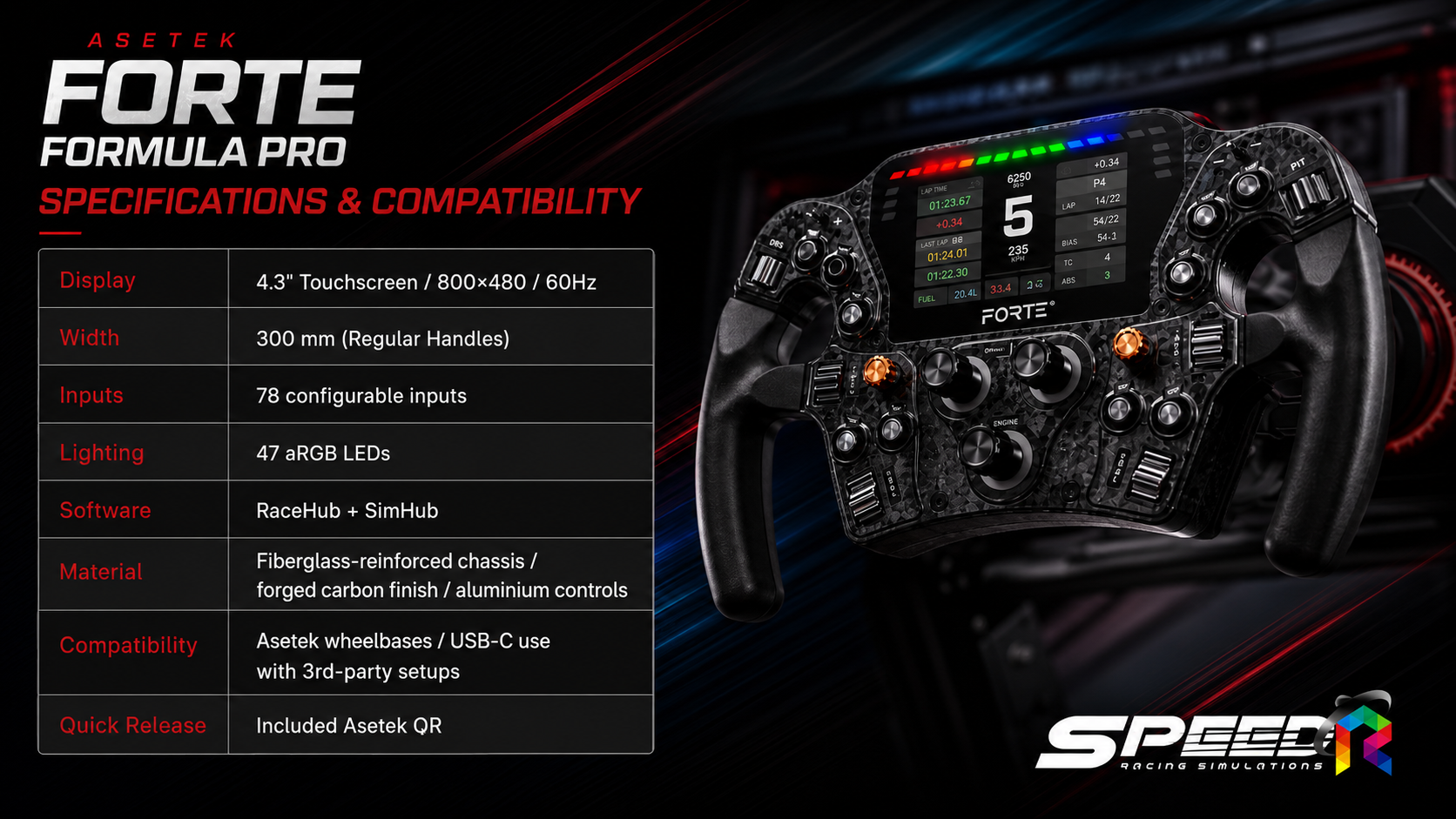
The Asetek Forte Formula Pro Steering Wheel uses the Asetek Racing Quick Release system, allowing it to connect directly to wheelbases within the Asetek Racing ecosystem without a separate USB cable on the wheel itself. Both power and data are transmitted through the Quick Release connection.
Drivers starting with an Initium, La Prima, or Forte wheelbase can upgrade to the Forte Formula Pro wheel first, without needing to replace their wheelbase or pedal set at the same time. When paired with the Forte 18Nm or Invicta 27Nm wheelbases, the wheel’s solid structure and advanced control layout make even more sense for serious sim racers.
The wheel can also be used with wheelbases from other brands through USB-C connectivity, provided the correct quick release or adapter is installed. This is an important advantage for users who are not yet fully inside the Asetek ecosystem but want to upgrade their steering wheel first and expand the rest of their setup later.
This model is especially well suited to Formula, GT3, LMP, and Prototype drivers who want telemetry directly in front of them, make frequent in-race setup changes, and value the ability to customize handles, paddles, and button colors.
The main considerations are that the Formula-style shape is not ideal for Drift, Rally, or road cars that require much more steering rotation than a round wheel. Also, if you already use a dedicated dashboard screen and do not specifically need a built-in display, the standard Forte Formula may be the more cost-effective choice, leaving more budget for a wheelbase or pedal upgrade instead.
Overall, the Asetek Forte Formula Pro Steering Wheel is a display-equipped Sim Racing wheel that strikes a strong balance between materials, weight, control layout, and customization. Its biggest strength is not only the RaceView screen, but how effectively it brings key information, controls, and lighting into one practical motorsport-focused package. It is a great fit for sim racers who want to move beyond a standard wheel and into more serious competitive equipment.